Team access
Each teammate works on their own clients, and you decide who sees which.
How it works: Team access
Features · Run your agency
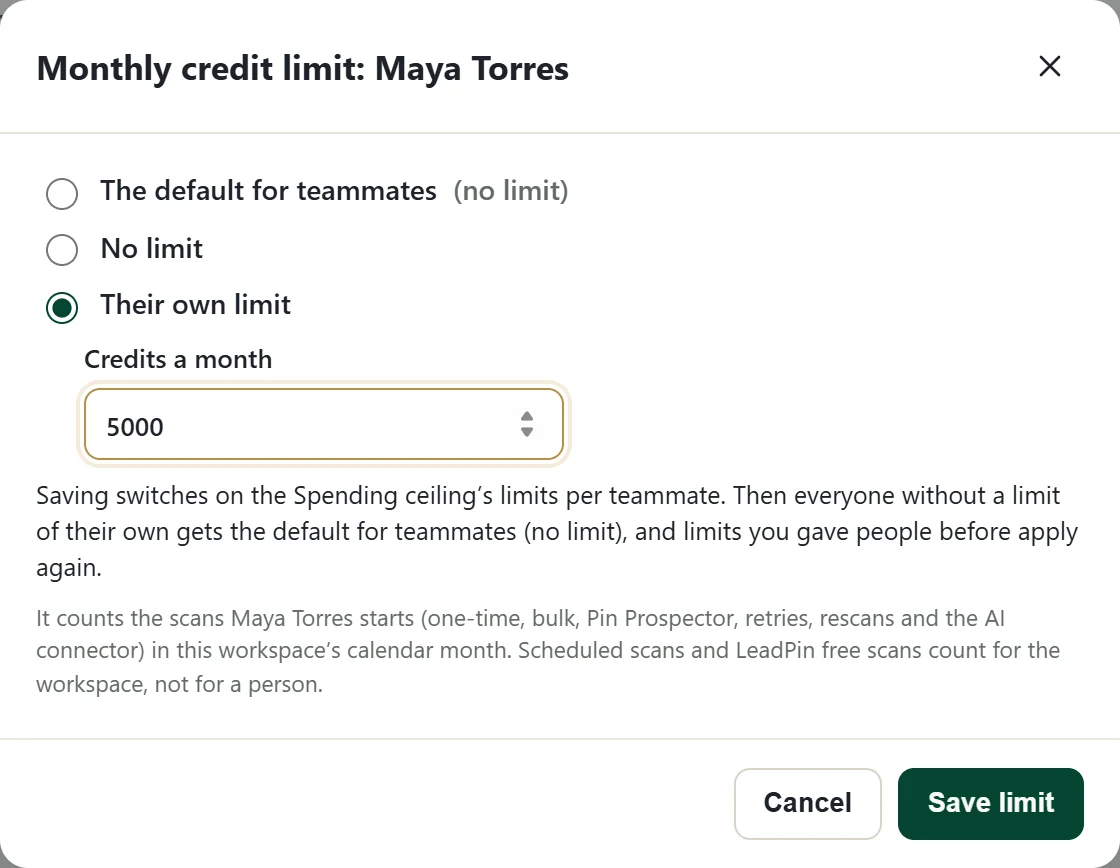
Give a teammate a limit in credits for the month, or leave them with none.
You get A bigger team without handing everyone the whole credit balance.
1,000 free credits, no card · valid for 30 days
Last updated · Written by the Local Pinmeter team in Phoenix, Arizona
 (opens full size in a new tab)
 (opens full size in a new tab)
How it works
A scan that would take them over it is refused before it starts, so nothing is spent by surprise. You see each person’s use on the team list, and they see what they have left.
In detail
What it costs
Credit limits cost nothing extra. They divide the credits your plan already has; they don’t add any.
Scans use 1 credit per pin, for each keyword; a Live scan, the faster choice under Advanced, uses 2.5.
Work out your credits · Plans and pricing
1,000 free credits, no card · valid for 30 days
What sets it apart
| What matters | By hand | Local Pinmeter |
|---|---|---|
| Keeping spending in check | Ask the team to be careful, then check the balance | A limit per person, checked before every scan they start |
| When someone reaches it | Find out at the end of the month | The scan is refused before it runs, with the credits it needs and what is left, and the owner gets an alert |
| Knowing what’s left | Ask the owner | The teammate sees “You have 812 of your 1,000 credits left this month” on their own screens, with alerts at 80% and 100% |
| Scans that must run | Hope the balance holds | Scheduled scans, LeadPin free scans and imports never count toward a person’s limit |
The numbers in the quote are an example. Owners are never limited.
FAQ
Their next scan is refused before it runs, with a message saying how many credits it needs and how many they have left. The owner gets an alert.
No. Scheduled scans, LeadPin free scans and imports count for the workspace, not for a person.
At the start of each calendar month.
Yes. Set “The default for teammates”, and give anyone who needs more their own limit.
Trust every pin.