Credit limits
A bigger team without handing everyone the whole credit balance.
How it works: Credit limits
Features · Run your agency
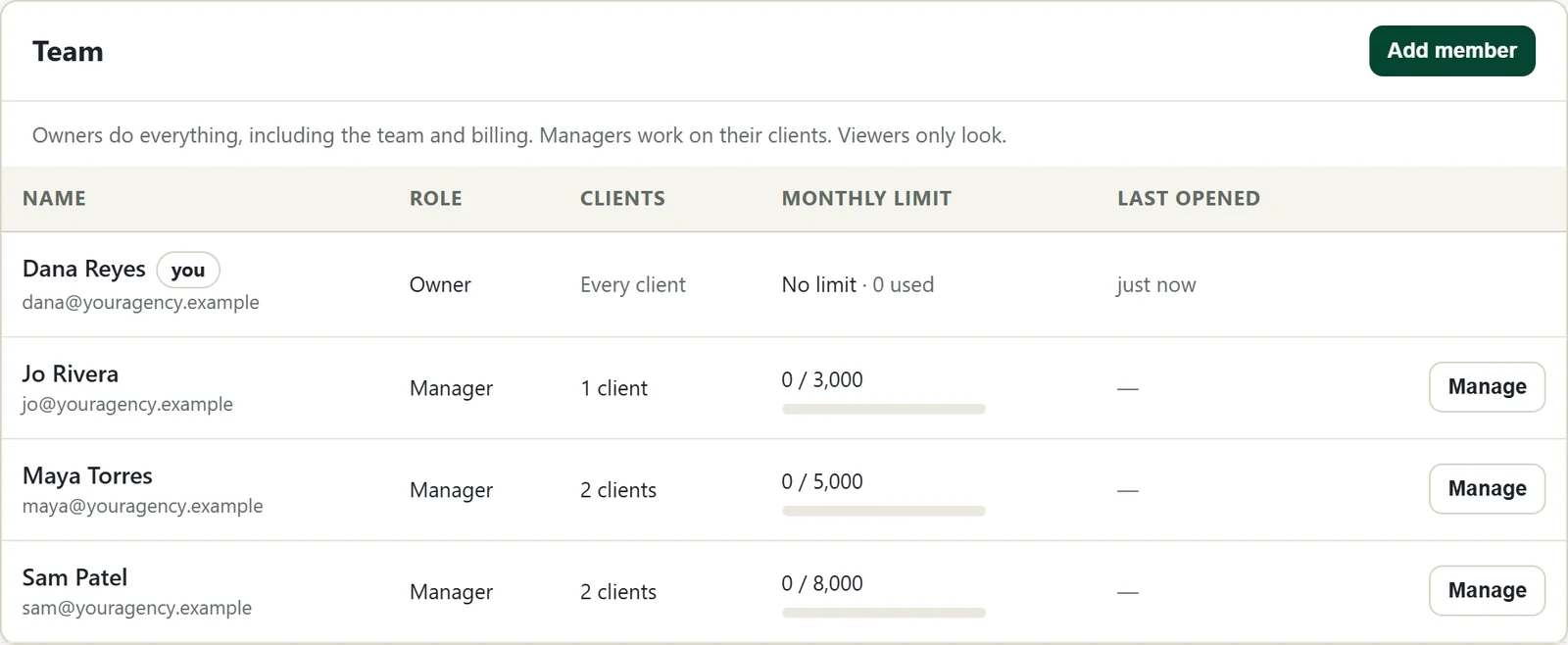
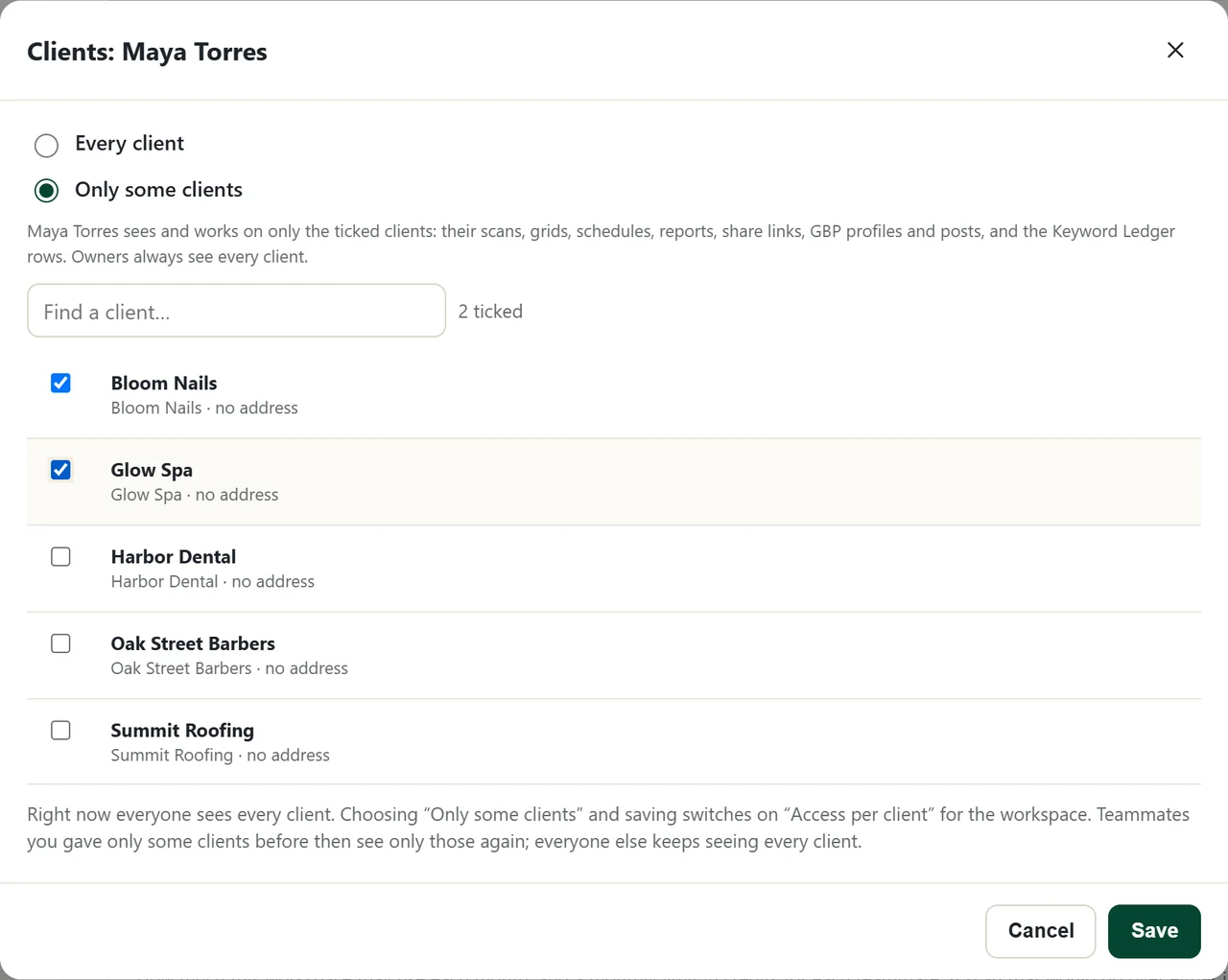
Add as many teammates as you like and decide, person by person, which clients they work on.
You get Each teammate works on their own clients, and you decide who sees which.
1,000 free credits, no card · valid for 30 days
Last updated · Written by the Local Pinmeter team in Phoenix, Arizona
 (opens full size in a new tab)
 (opens full size in a new tab)
How it works
A teammate given some clients sees and works on only those: their scans, grids, schedules, reports and share links. Owners always see every client.
In detail
What it costs
Teammates and access per client cost nothing extra. Every plan has unlimited clients, keywords and team members; credits pay for scans and checks, not seats.
Scans use 1 credit per pin, for each keyword; a Live scan, the faster choice under Advanced, uses 2.5.
Work out your credits · Plans and pricing
1,000 free credits, no card · valid for 30 days
What sets it apart
| What matters | Other tools, or by hand | Local Pinmeter |
|---|---|---|
| Clients and team members | Some local SEO suites charge for each location, and one well-known tracker caps business listings per plan | Unlimited team members and clients on every plan |
| Who sees which client | By hand: one shared login that shows everything to everyone | “Every client” or “Only some clients” for each person, enforced on our servers, not just hidden on screen |
| What a teammate can do | Shared login: everything, including billing | Manager: works on their clients. Viewer: looks only. Only owners change the team, the limits and billing |
| Alerts and activity | Shared inbox: everyone gets everything | A teammate’s notices and activity log show only their clients, and each client can have an account manager who gets its alerts |
Per-location pricing: the public pricing pages of local SEO suites, read October 27, 2026. Listing caps: one tracker’s public pricing page, read the same day. No company is named.
FAQ
As many as you like. Every plan has unlimited team members.
Look only. A Viewer can open the clients they are given but can’t run scans, change grids or share reports.
No. Teammates can see the team list and the plan, but only owners add or remove people, set limits and handle billing.
No. Everyone sees every client until you choose “Only some clients” for someone.
Trust every pin.